A team, not a chatbot.

Reusable agents with names, memory, and judgment — running many tasks at once, each one reviewable before it ships, and governable once there's more than one of you.

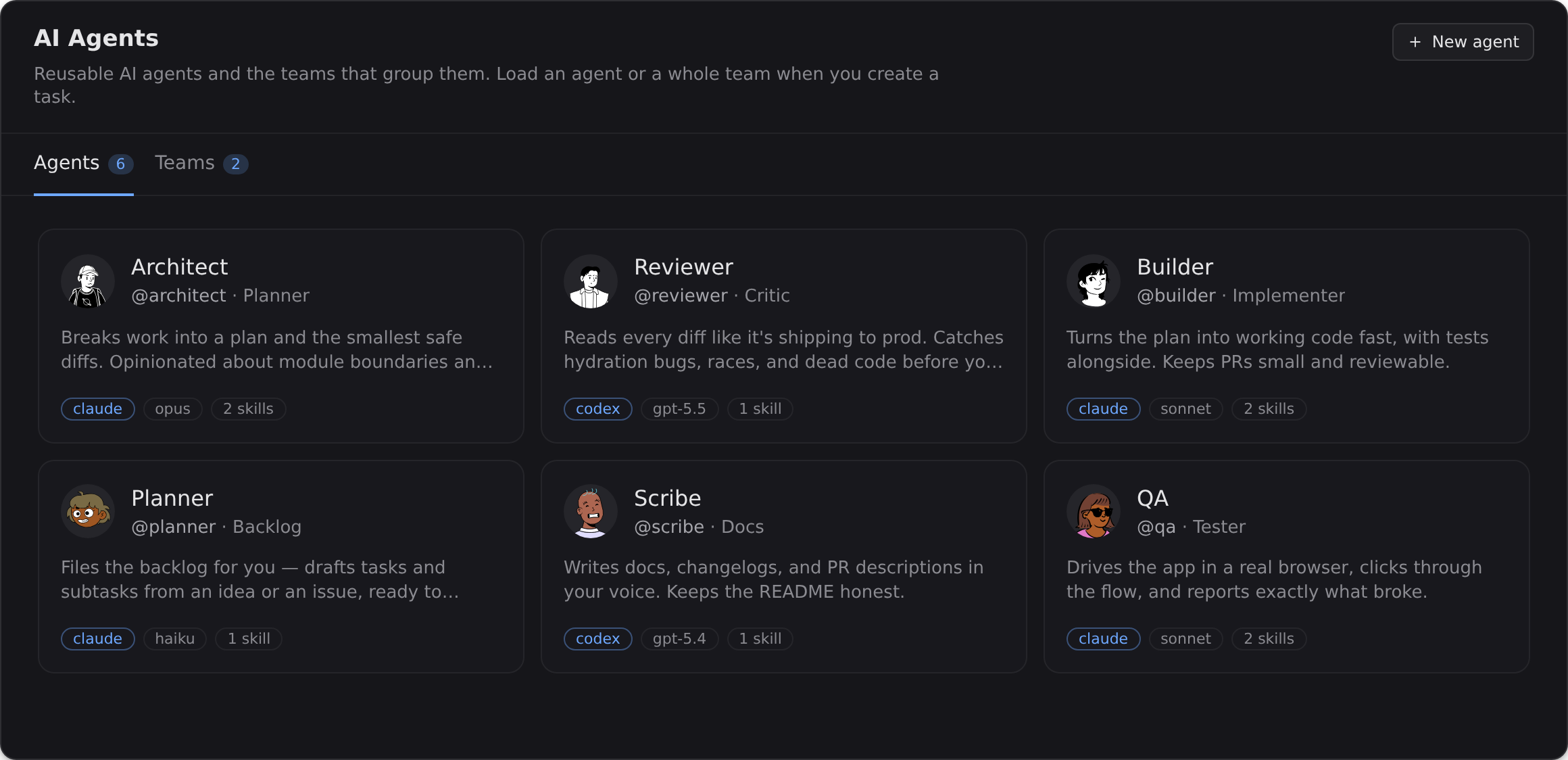
The persona editor — a crew of reusable named agents with @handles, avatars, engines, and skills.
Personas & teams — design a crew once, reuse it on every task.

Personas & teams

Design an agent once — @handle, avatar, engine, skills, permissions, and cross-task memory — and reuse it everywhere. Group personas into teams and drop a whole team onto a task.

Parallel, sandboxed tasks

Every task gets its own throwaway container and fresh git worktree, so N run in parallel without touching your machine — or each other.

In-app diff review

Review every change before it ships in a diff panel that spans every repo in the task, split or unified. Not "go check GitHub" — in the product.

Live previews

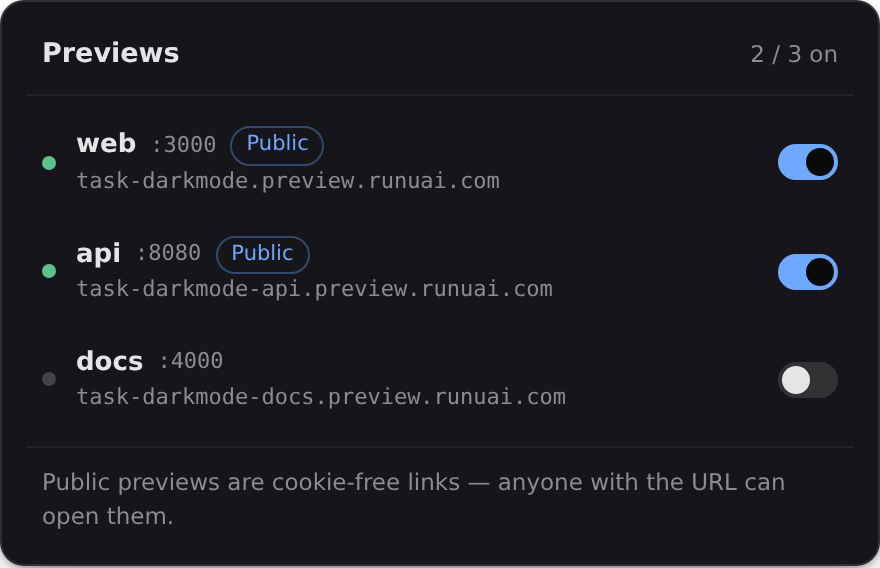
Each task with a declared port gets a preview URL you can open on your phone or share with a teammate — a real dev server, hot reload and all.

Roles & permissions

One catalog covers what a person may do and what an agent may do. Build roles out of it, hand them out, and the app stops offering anyone the buttons their role forbids.

Recurring schedules

Put a task on a cron and every occurrence starts fresh — its own branch, container, and chat — whether or not anyone is watching.

In-app review

Review every diff before it ships.

The task screen is chat on the left and one panel on the right, with a tab strip for TLDR, Diff, and Code Editor. The diff sits beside the conversation that produced it rather than covering it — every repo in the task, split or unified, task branch against your default. Approve what's right; send the rest back with a message.
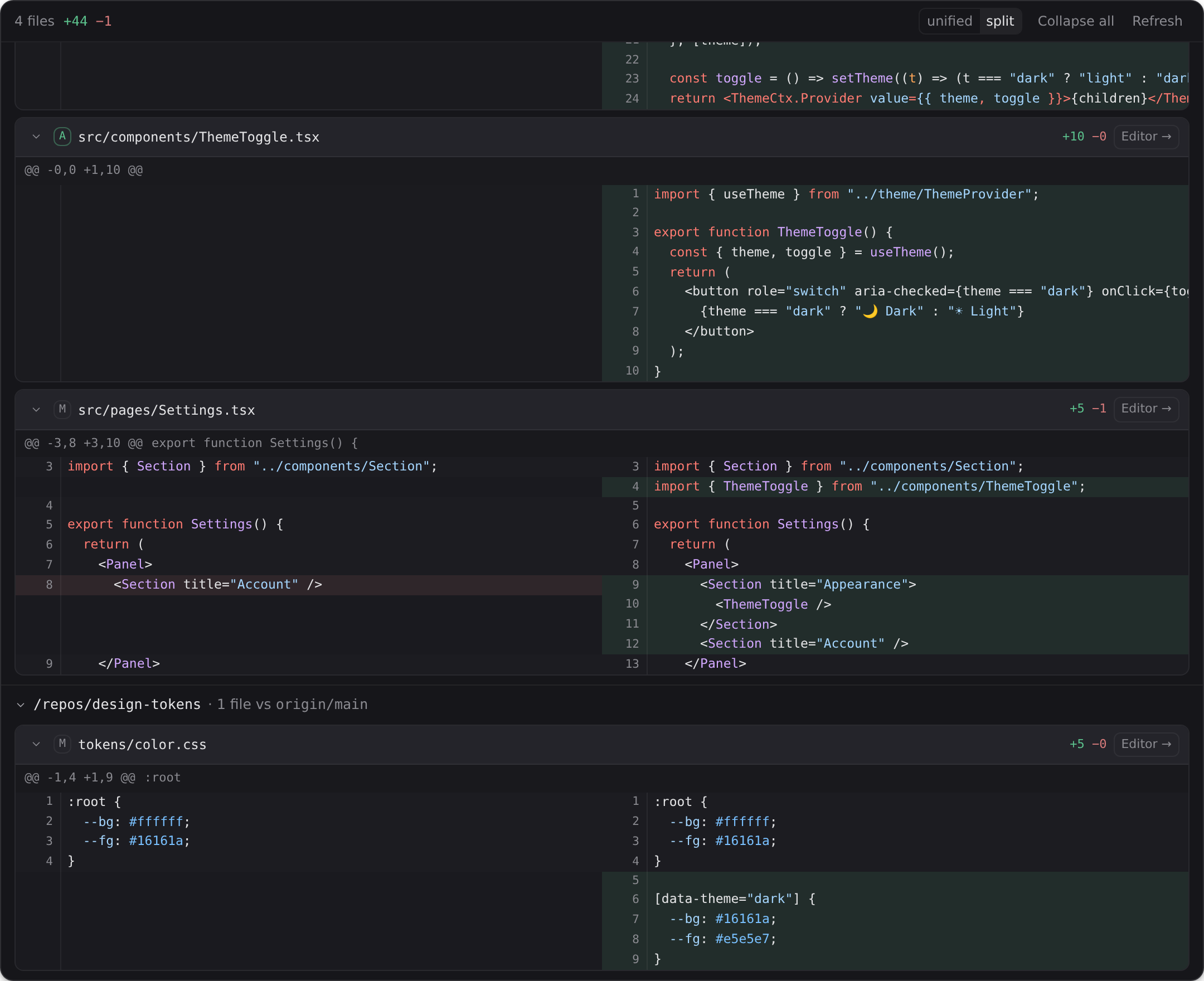
The in-app diff panel — multi-repo, split view, comparing the task branch against the default branch, beside the task chat.

Edit alongside

Jump into the code, right beside the chat.

Every task runs code-server — the VS Code engine — in the same right-hand panel, pointed at the same worktree. Edit a file mid-conversation; the agents pick it up on their next read.
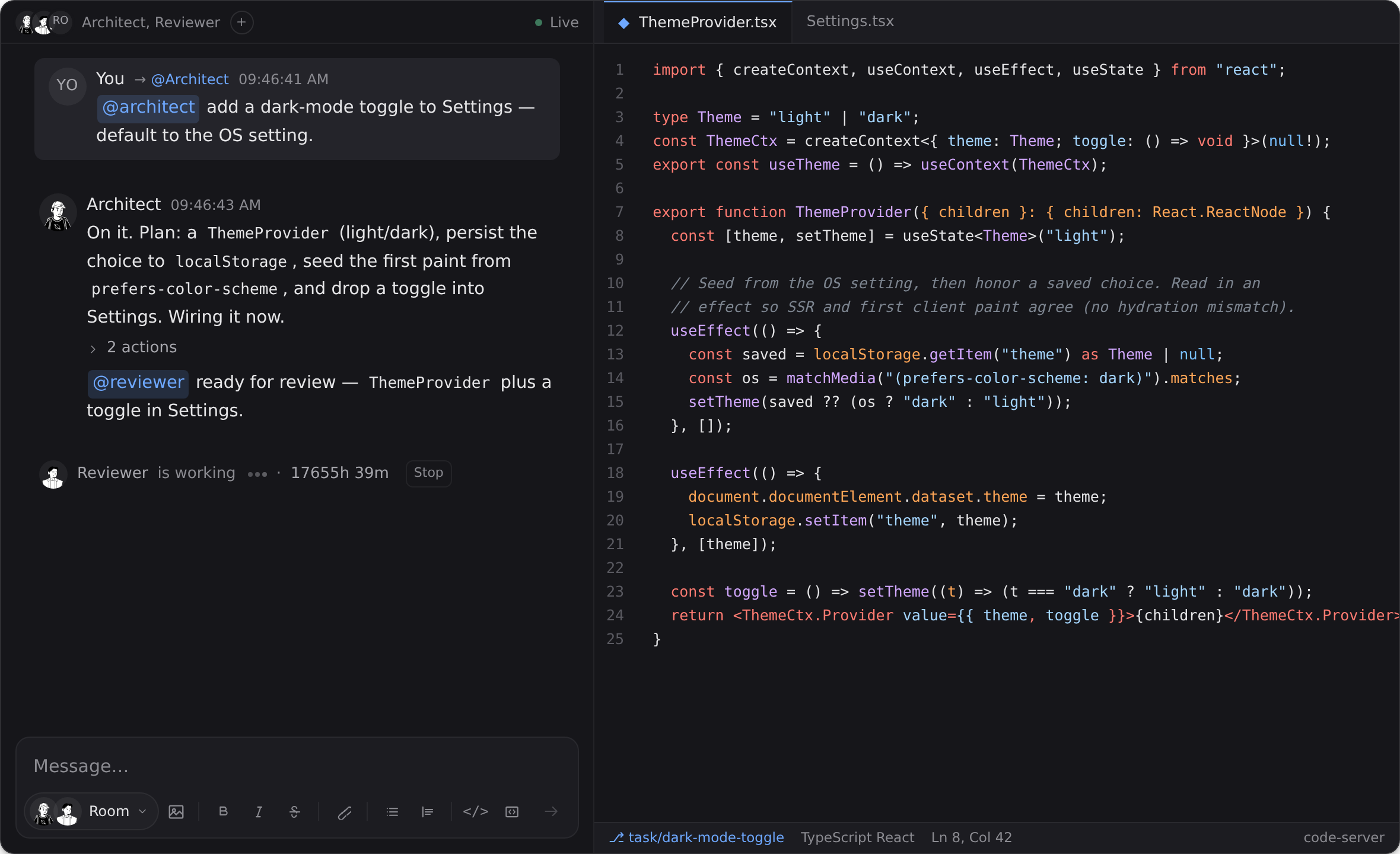
A task split view — the agent chat on the left, code-server (VS Code) open to the same worktree on the right.
Chat and code-server, side by side on the same task.

Roles & permissions

Decide who can do what — people and agents, one catalog.

An org defines roles. A role is a set of permissions, a set of caps, and the personas it unlocks; a member can hold several, and what they get is the union. The same catalog that says whether you may start a task says whether an agent may — so a persona's authority is described in the same vocabulary as a teammate's.

Recurring schedules

Work that shows up on its own.

Configure a task the way you always do, then give it a cron expression and a timezone. Each occurrence clones that template into a brand-new task — its own branch, its own container, its own chat — so a run is never a second pass over last week's diff, and the run history is a list of real tasks you can open.

The summary pane

Come back to a busy task and know where it stands.

The third tab in that panel answers "what happened while I was gone?" without making you re-read the feed. It keeps two things apart on purpose, because they're trustworthy in different ways: what the task plainly is, and what a model made of it.

The generated summary is the one place Uai spends its own inference rather than your keys; each org gets a monthly allowance for it. Everything else runs on the AI keys you bring.

More surfaces

The live-previews menu — per-port URLs with public/enabled toggles.
Live previews — cookie-free URLs per port.
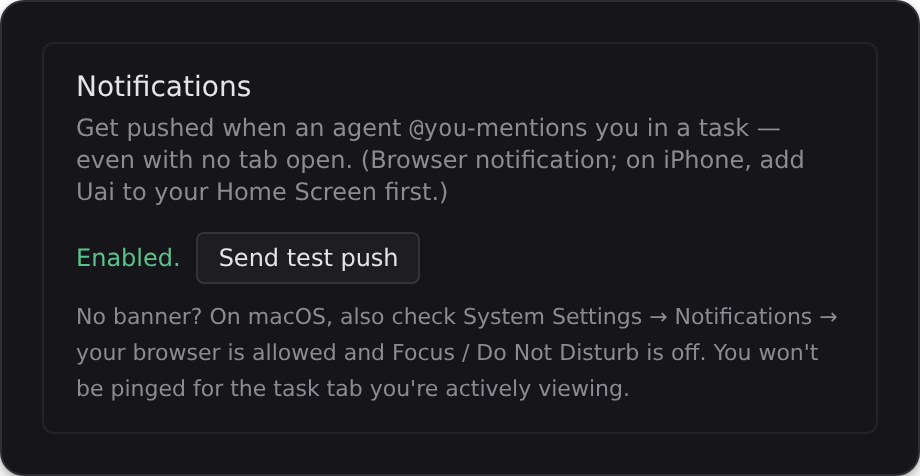
Notification settings — get pushed to browser or phone when an agent @mentions you.
Notifications — pushed when an agent needs you.
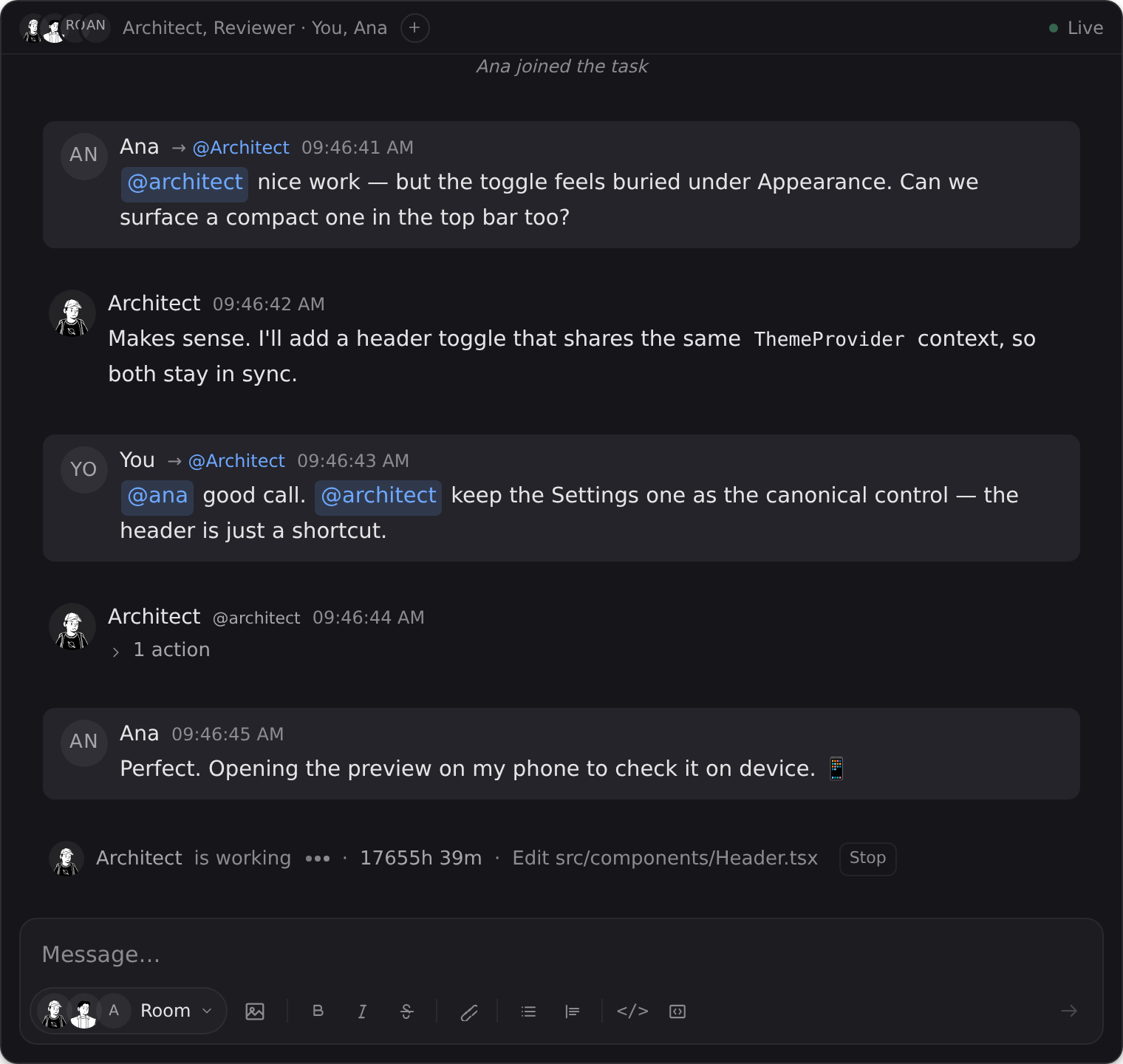
A task chat with two humans and agents, @mentioning each other.
Multiplayer — invite teammates into a task.

Put a whole crew on it.

Design your team, start a task, and review the work before it ships.